

 Facebook
 Twitter
 LinkedIn

Online polls make it easy to gather customer feedback
Fully Integrated With Gmail
Gmail Free Online Polls and Surveys by cloudHQ works completely within Gmail and installs within seconds. There’s nothing to download or install on your hard drive. With a one-click set-up, you’ll be able to start including polls and surveys in your emails immediately.

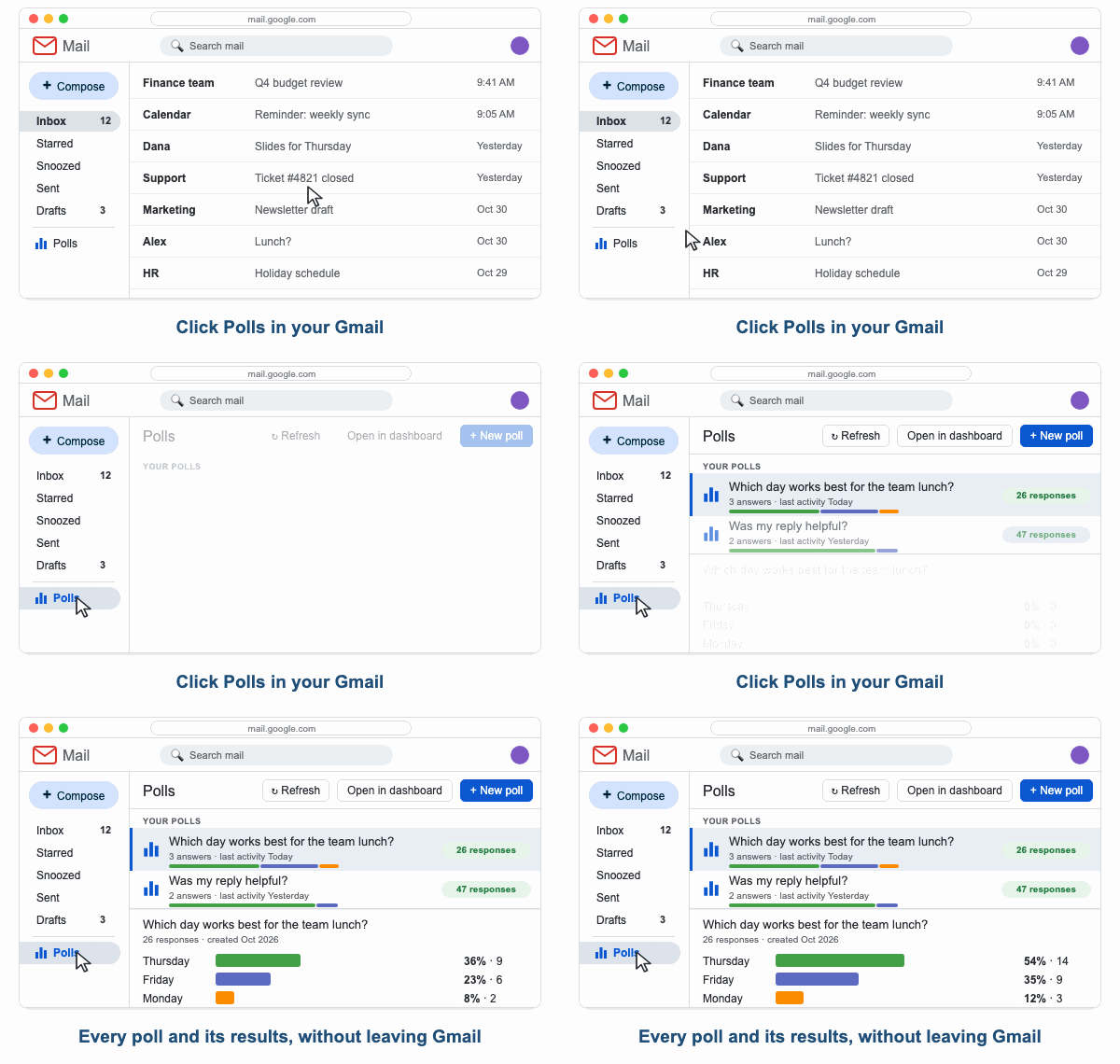
See Your Poll Results Inside Gmail
Click Polls on the left side of Gmail and a panel opens with all your polls. Pick a poll and its results show right next to it: the share of each answer, the count, and the latest responses. No tab switching and no separate login, because the results live where you read your mail.
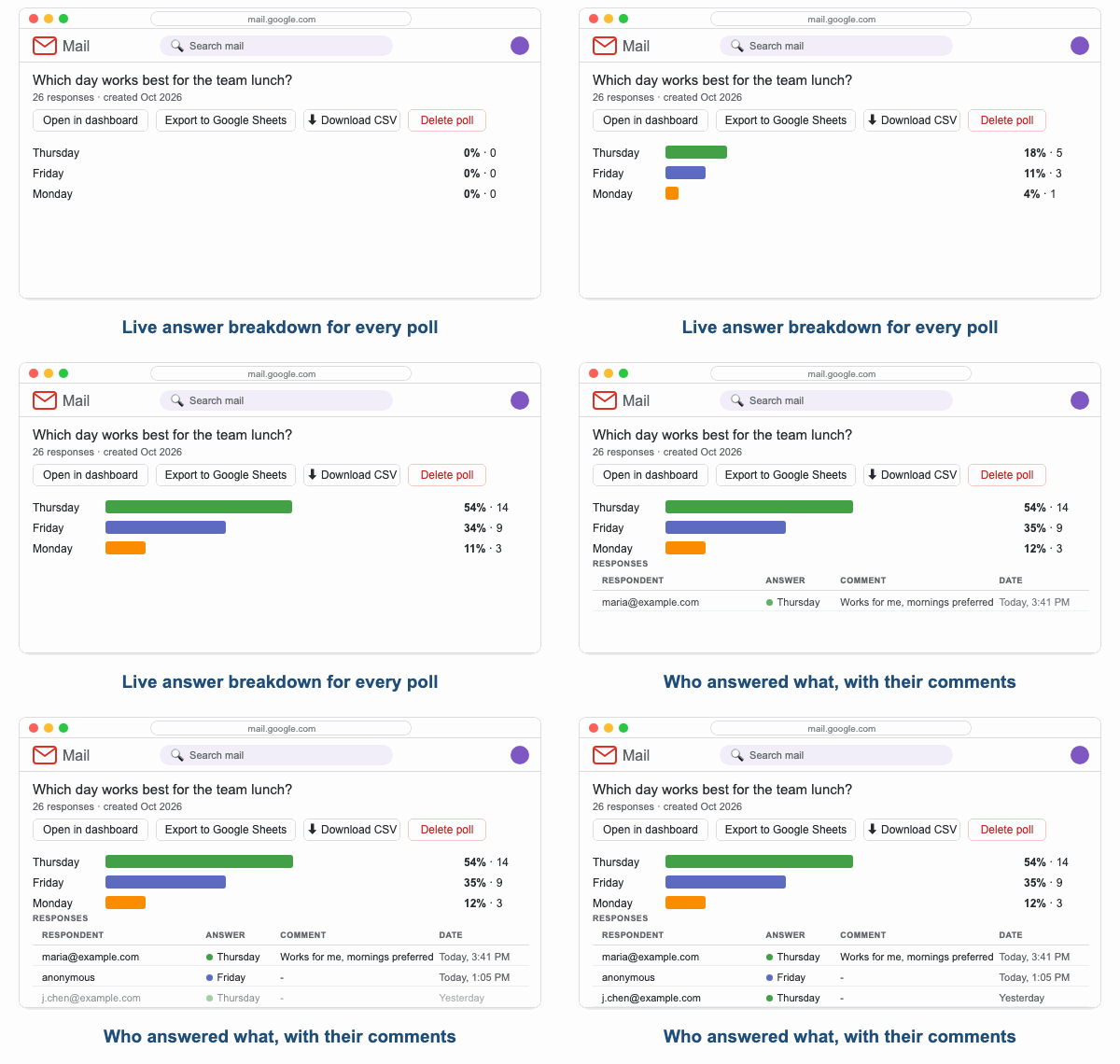
Live Results at a Glance
Every poll gets a breakdown of its answers as bars with percentages and counts, followed by the list of responses: who answered (when the poll asks for the email address), which answer they picked, their comment and the date. New responses show up with the next refresh, and the panel refreshes itself every five minutes.
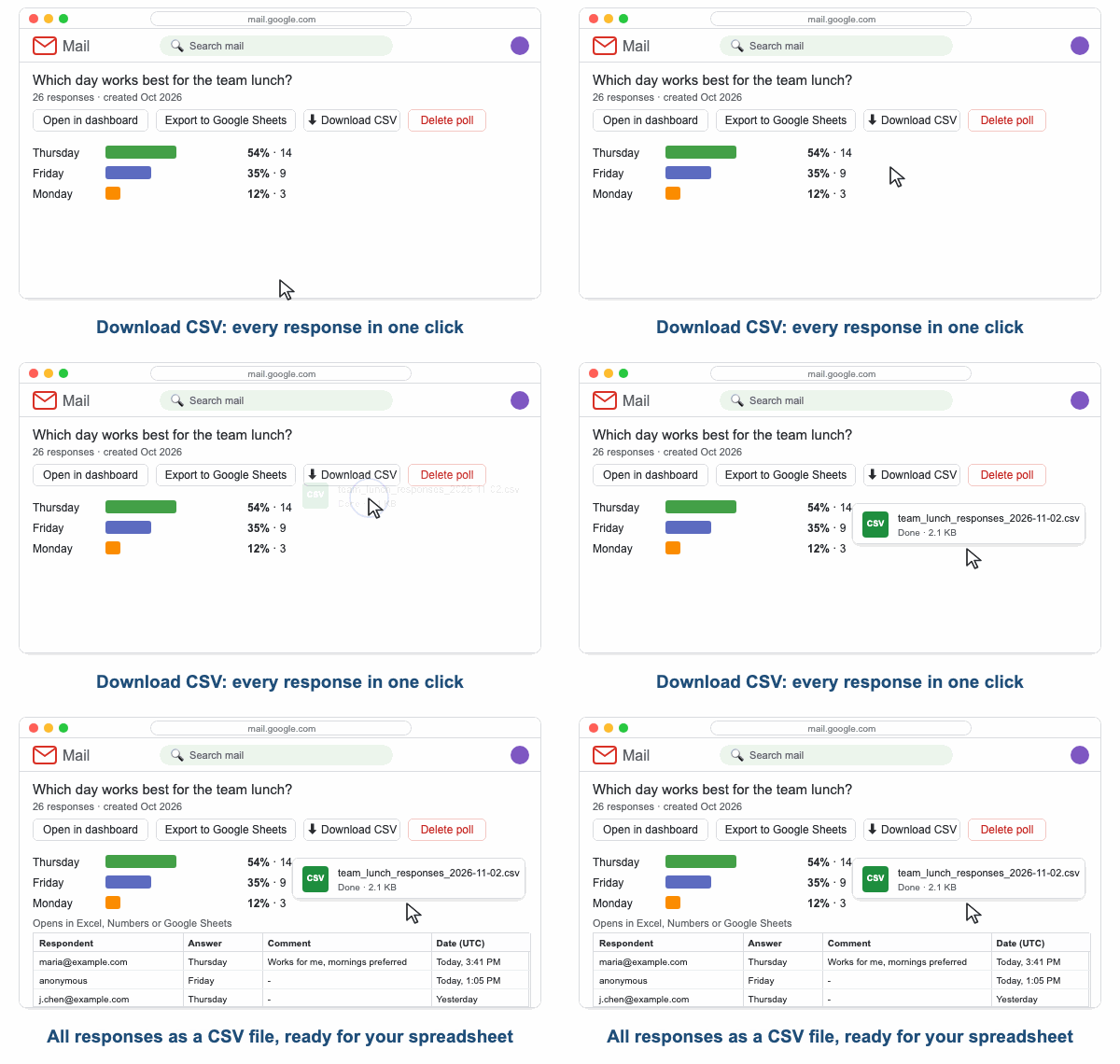
Download Every Response as a CSV File
Need the raw data? Click Download CSV and you get a spreadsheet-ready file with every response of that poll: respondent, answer, comment, date, location and platform. It opens in Excel, Numbers or Google Sheets, and the same download is one click away in the cloudHQ dashboard.
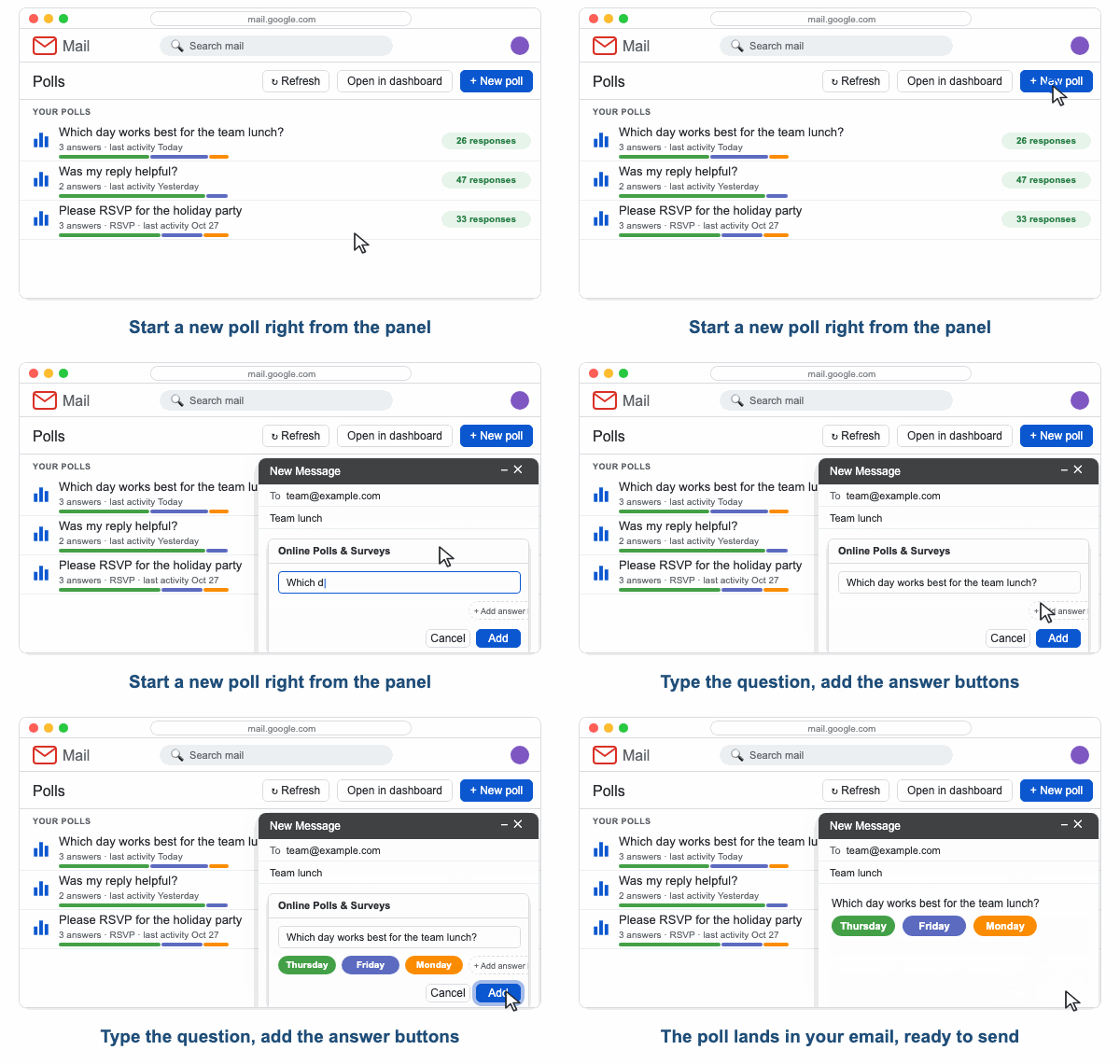
Start a New Poll From the Panel
The panel is also the fastest way to start a poll. Click New poll and a compose window opens with the poll dialog ready: type your question, add the answer buttons, pick the colors, and the poll lands in your email. Send it like any other message.
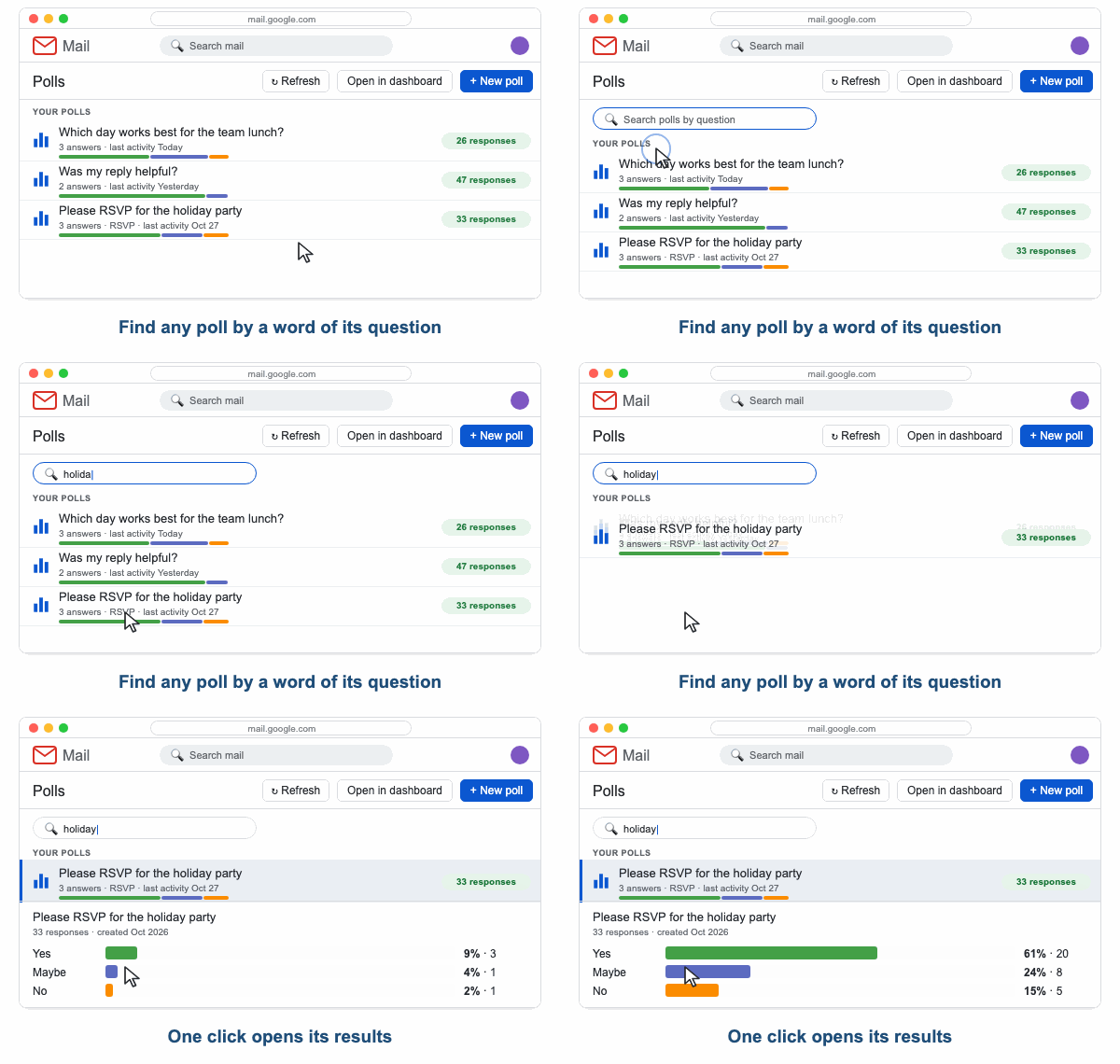
Find Any Poll in Seconds
Type a word of the question into the search box and the list narrows to the matching polls. Open the results, export them to Google Sheets, download the CSV or delete a poll you no longer need, all from the same panel.
Easily Design and Format Survey Questions, and Then Collect Responses
Have a question? Get your answer. It’s really that simple with this handy new tool from cloudHQ. Equally powerful for use both in business and with friends, Gmail Free Online Polls and Surveys offers users a fun, direct way to gather information as infinite as their needs and their imagination. The tool allows for highly customized formatting, including colors for letters, borders, and fillings, as well as options for border roundness and width.


Simple way to collect customer feedback
In the current marketplace, customers want to feel like participants in their favorite companies and brands. That’s what makes online polling and surveys so powerful. When you reach out to your consumer base asking for customer feedback, you can discover what they thought of your last product; what they want from you next; how they felt about their interaction with customer service; or what about their purchase has given them trouble. They’ll feel heard, and you’ll feel better knowing exactly what to work on next.
Organize Responses in an Organized Google Sheet
Need to organize and/or analyze the polling data you’ve collected? Just export it all into a Google Sheet with the click of a button. You’ll see all of your polling responses arrayed neatly in one spreadsheet.

Who Uses Gmail Free Online Polls and Surveys?
Customer Service Professionals
If you want to upgrade the customer experience for your consumers, know that brand follow-up is a major but oft-forgotten part of a customer’s experience. Increase customer loyalty with a well-timed poll, especially one which allows them the chance to write detailed feedback in their own words. In some cases, consumers will take the opportunity to resolve issues with their experience or purchase; in others, you’ll hear what is working well. Either way, you’ve engaged your customers and developed both your product and your business.


Marketing Professionals
Interactive emails raise click-through rates by nearly 75%, so grab your audience’s attention with a quick email survey. Besides just boosting customer interest, you’ll collect essential data points from respondents that will help you target subsequent campaigns—to them or to others. Voila!
Colleagues and Managers
Poll your team members: get their availability before sending out calendar invites. Poll your teammates: see how far along they are on the going project. Or poll ‘em all: send out an office-wide temperature check on the latest company developments. Polls and surveys are perfect for intra-company communications.


Friends
Polls between friends can be cute, silly, or the technological innovation of a lifetime. Feeling goofy? Send a funny question with some joke answers to bring a little joy to your buddies. (Plus, allow for comments in the poll and they’ll get to throw the fun right back at you.) Or, is movie night approaching, and you want an economical way to decide on the upcoming feature? Poll the pals!